For self-employed owners and small operators
Rental deals, leases and renewals.
Run the numbers on a rental, see which leases end soon, and keep every licence and policy with its current certificate. One app, on your own iPhone, iPad and Mac.
Coming soon to theApp Store
See how it works14-day free trial for eligible new subscribers · No account · iOS 26, iPadOS 26 or macOS 26 or later.
- Cash flow as you type
- Cap rate
- Cash-on-cash return
- Debt-service coverage
- 30-year projection
- Side-by-side scenarios
- One-page PDF
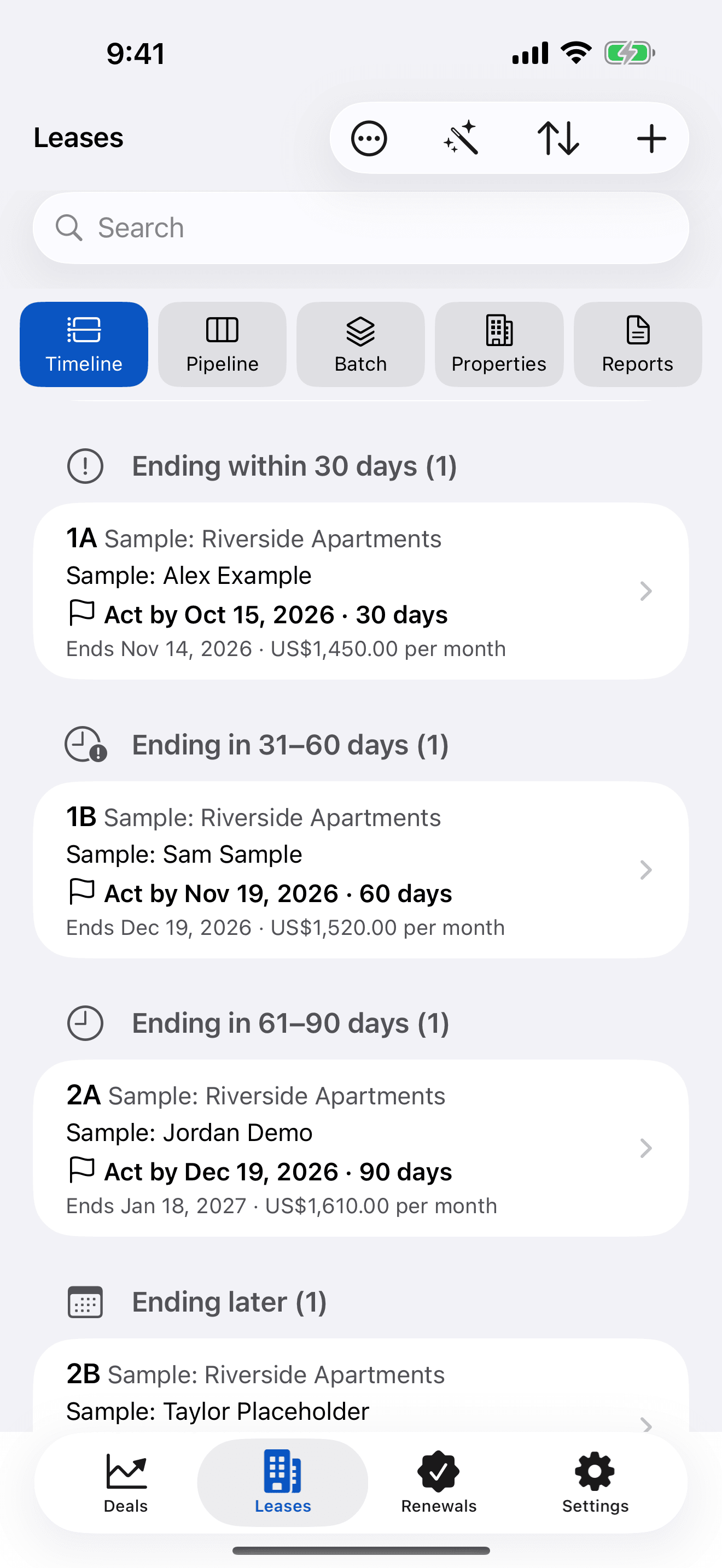
- Lease timeline
- Act-by dates
- Batch rent changes
- Renewal letters
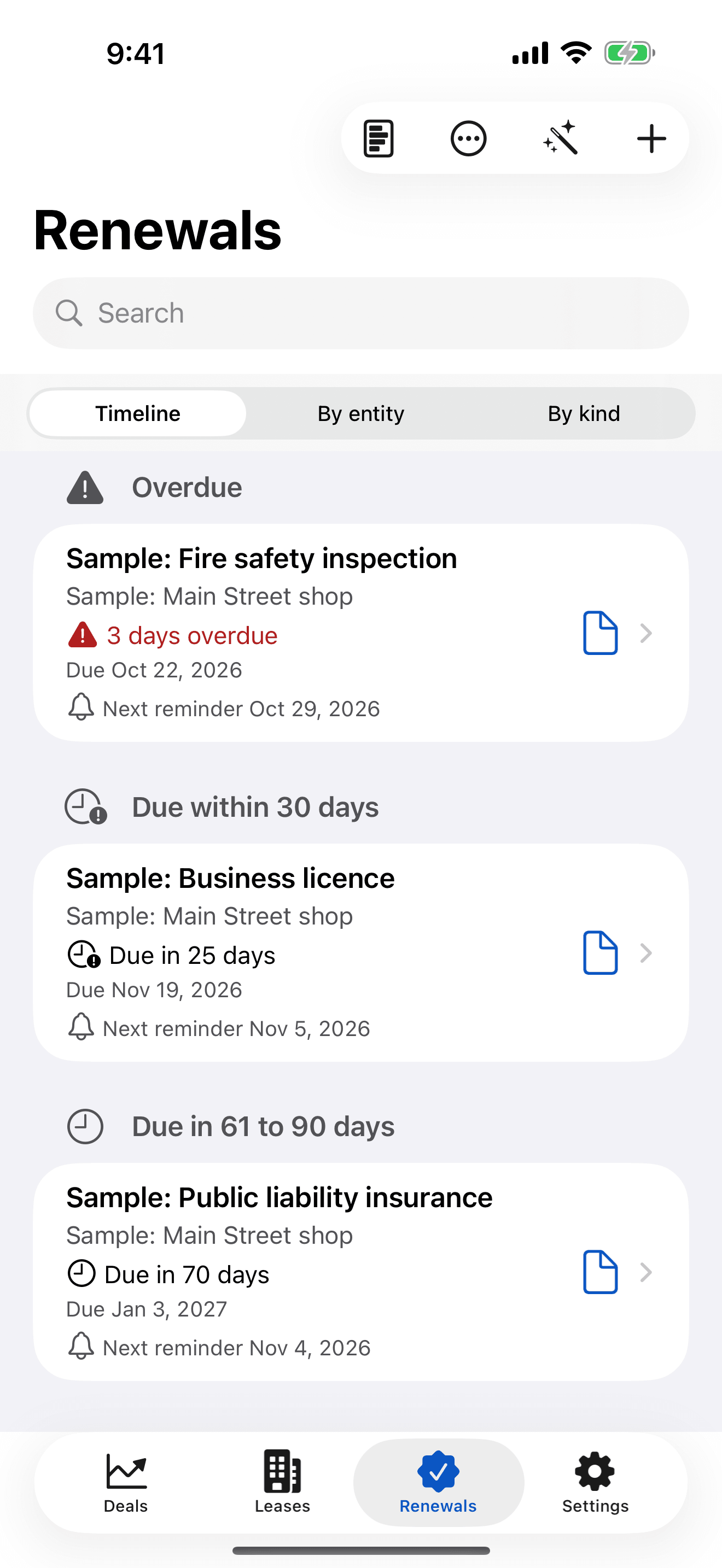
- Renewal pipeline
- Rent roll
- Licences and permits
- Insurance policies
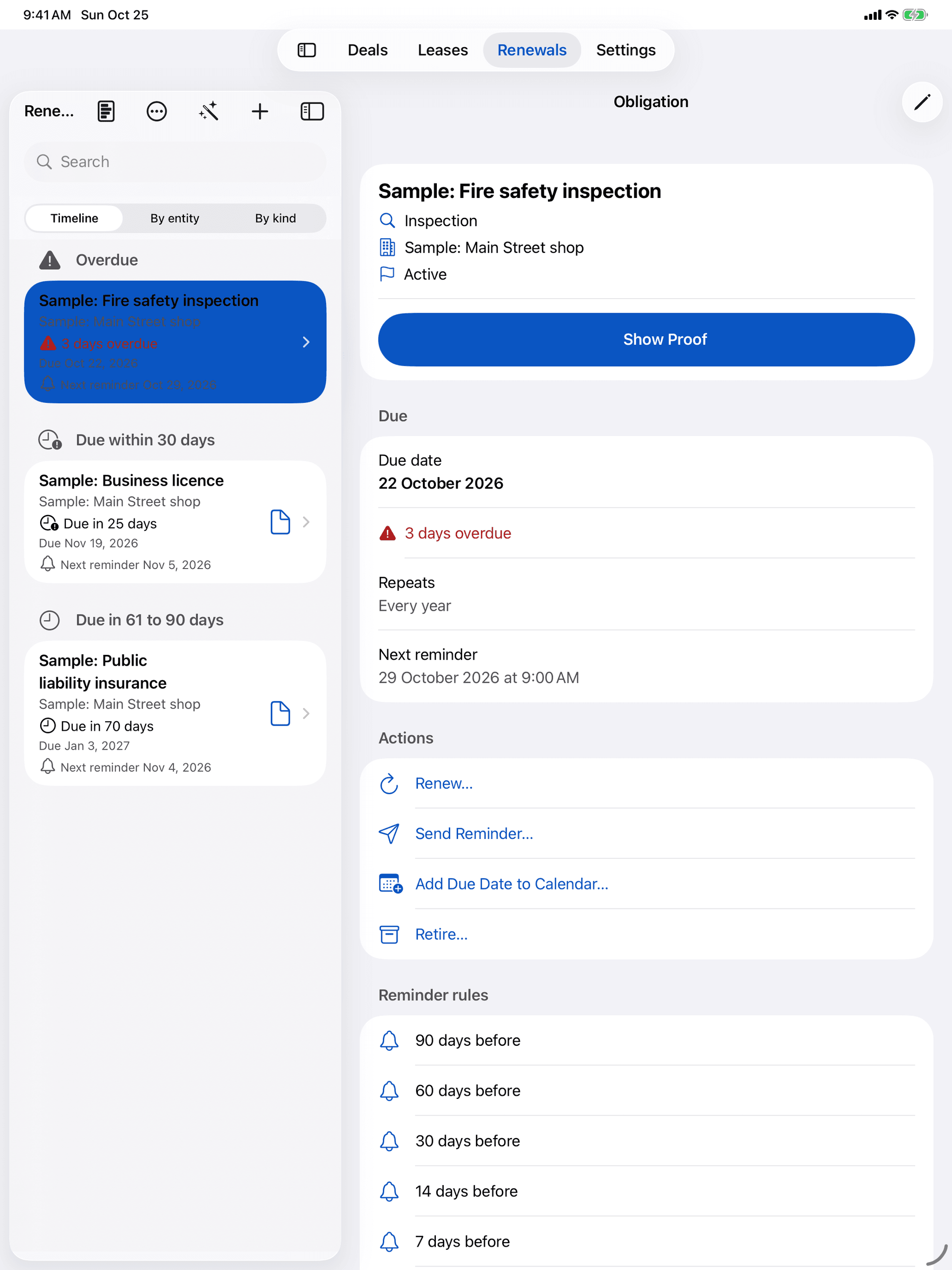
- Show Proof
- Reminders you choose
- Annual cost summary
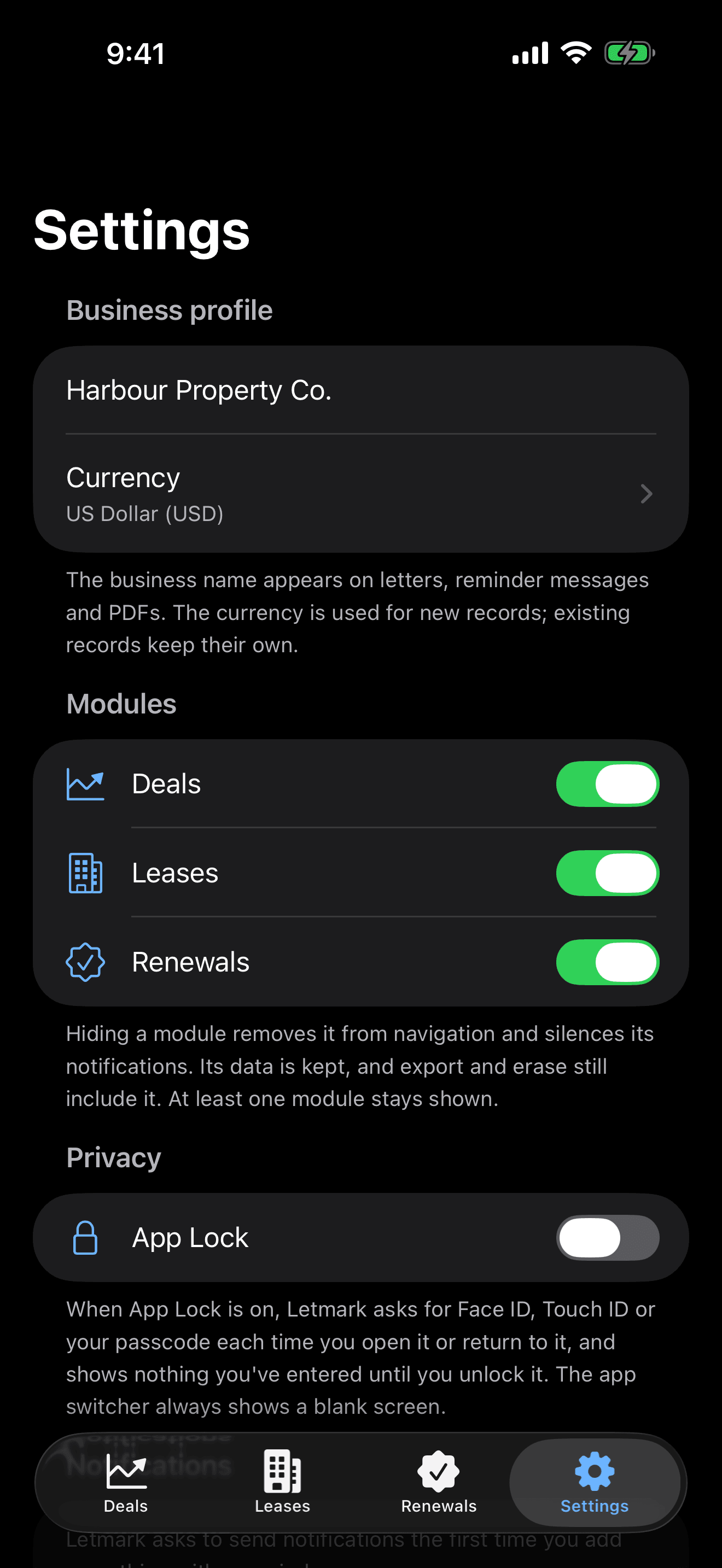
- App Lock
- Export everything
Three modules, one app
Use one module, or all three.
They share one shell, one data store and one subscription. Hide the ones you don’t need in Settings; their records are kept.
Deals
Know the numbers before you make the offer.
A rental-property deal analysis that shows its working: every result, every formula, every assumption.
Live results
See a rental's cash flow as you type.
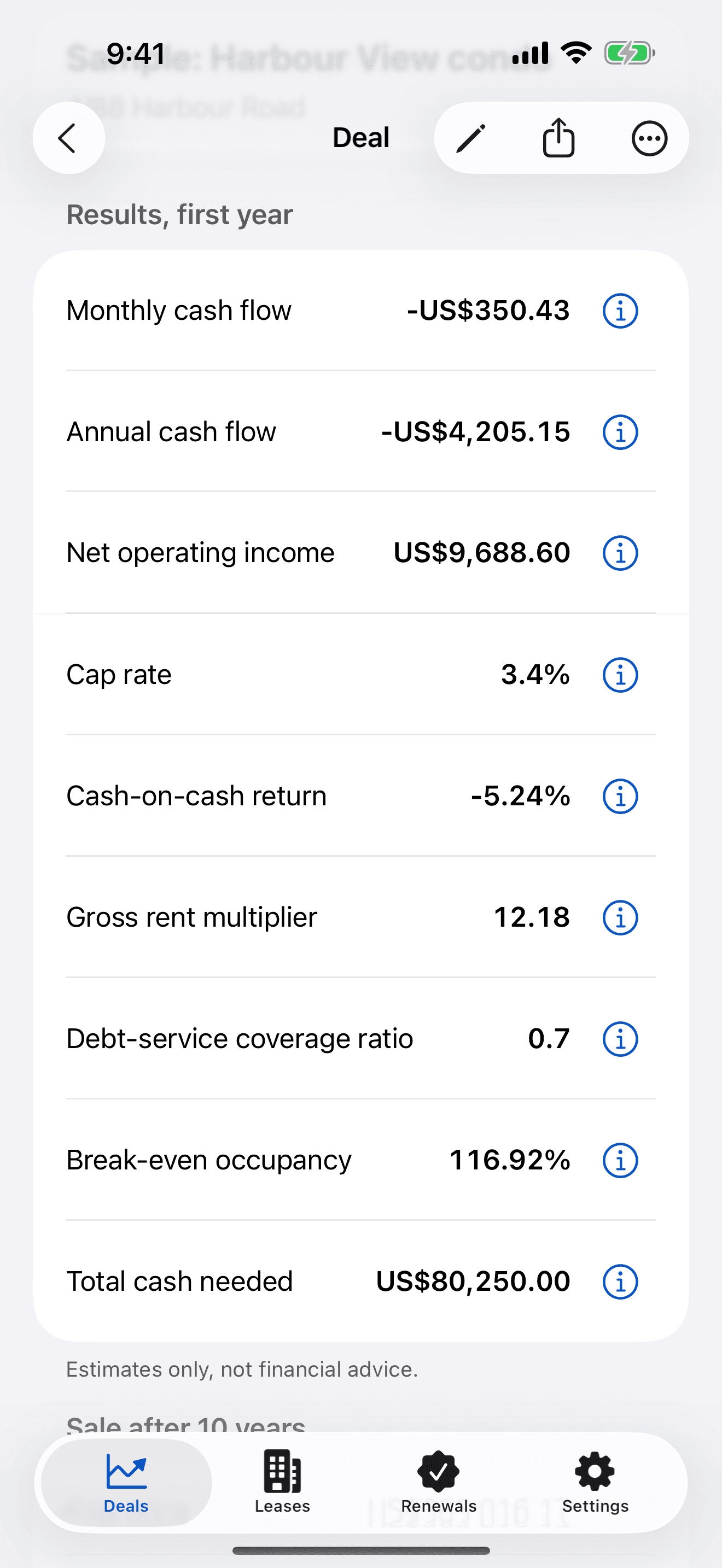
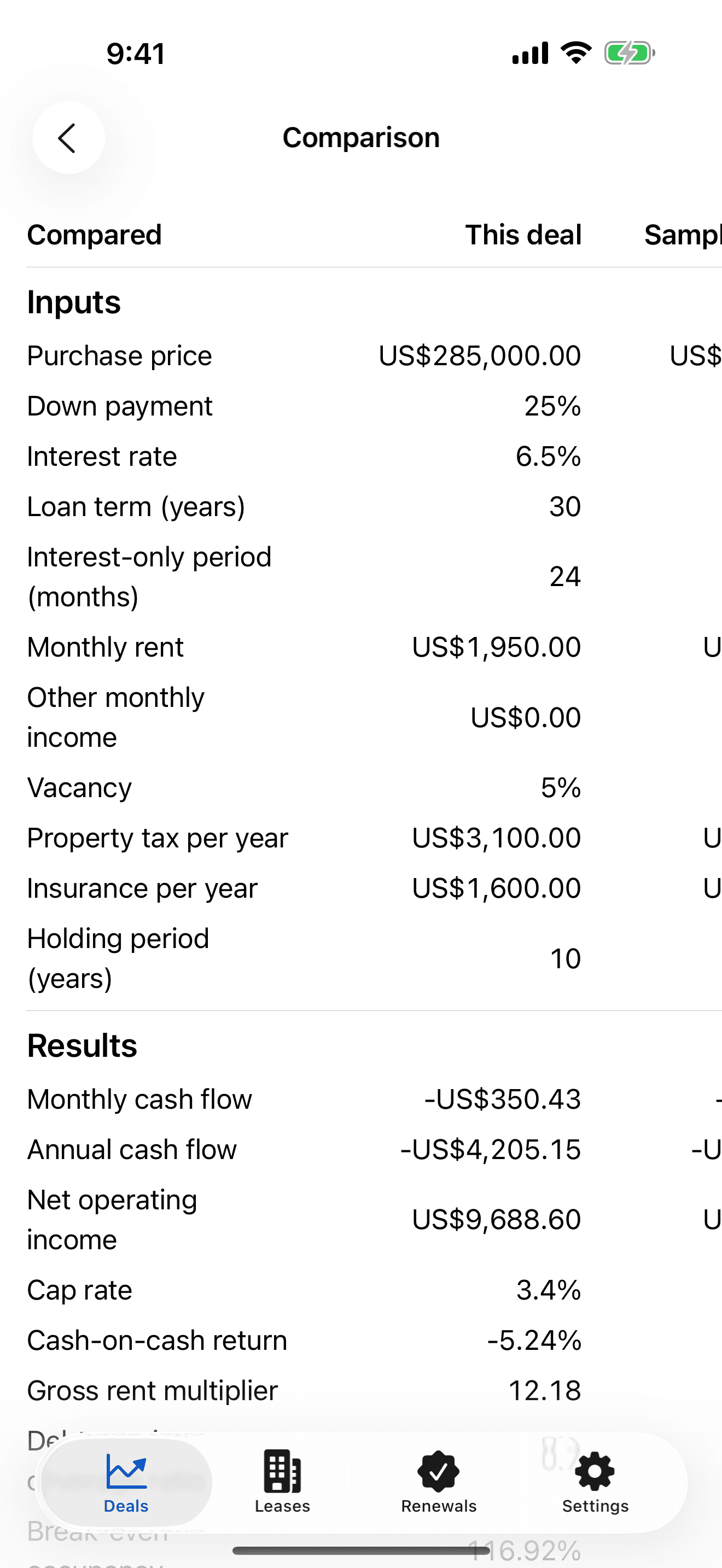
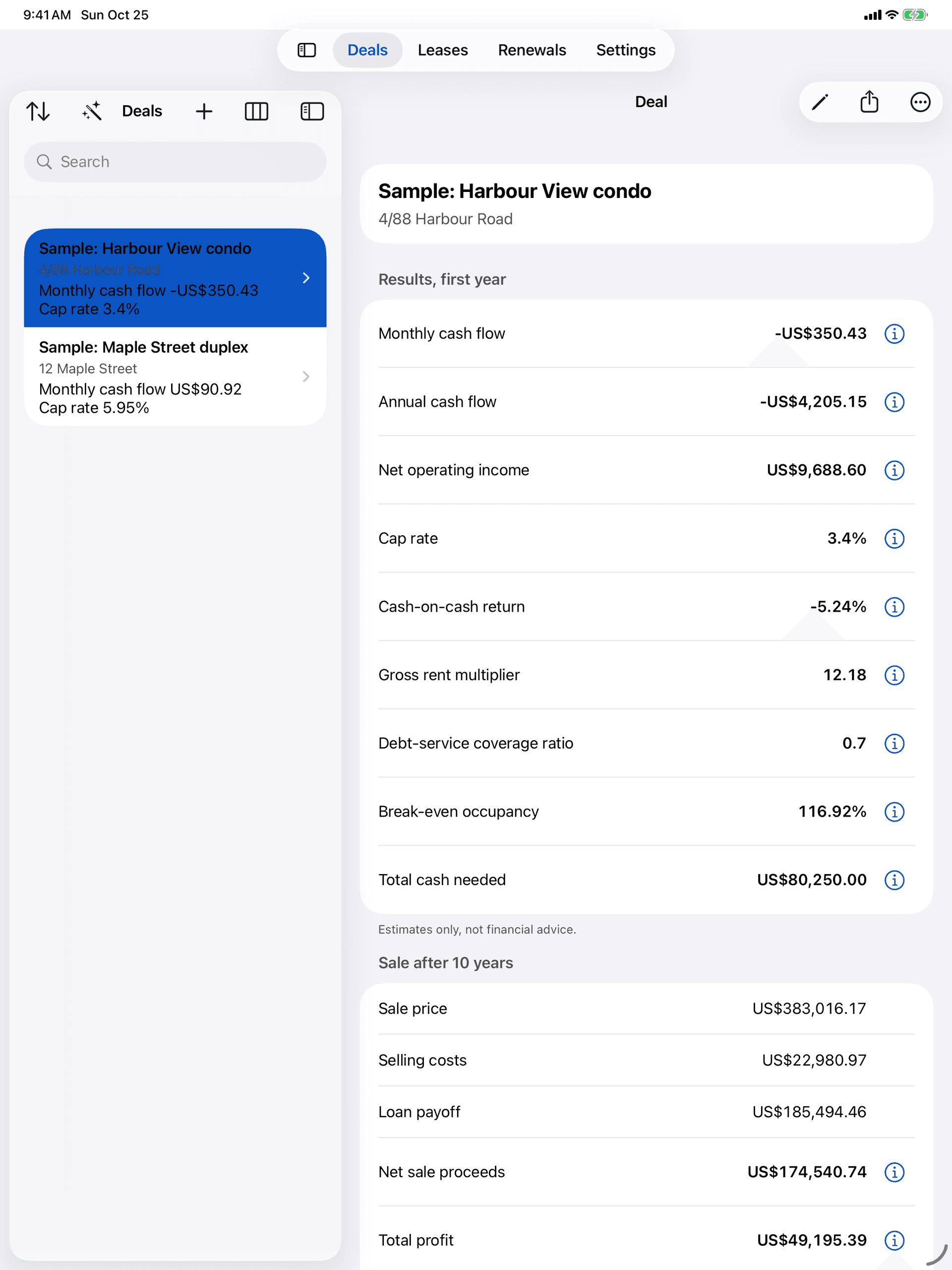
Price, financing, rent and costs on one screen, with cash flow, net operating income, cap rate, cash-on-cash return, gross rent multiplier, DSCR, break-even occupancy and total cash needed updating as you go.
No black boxes
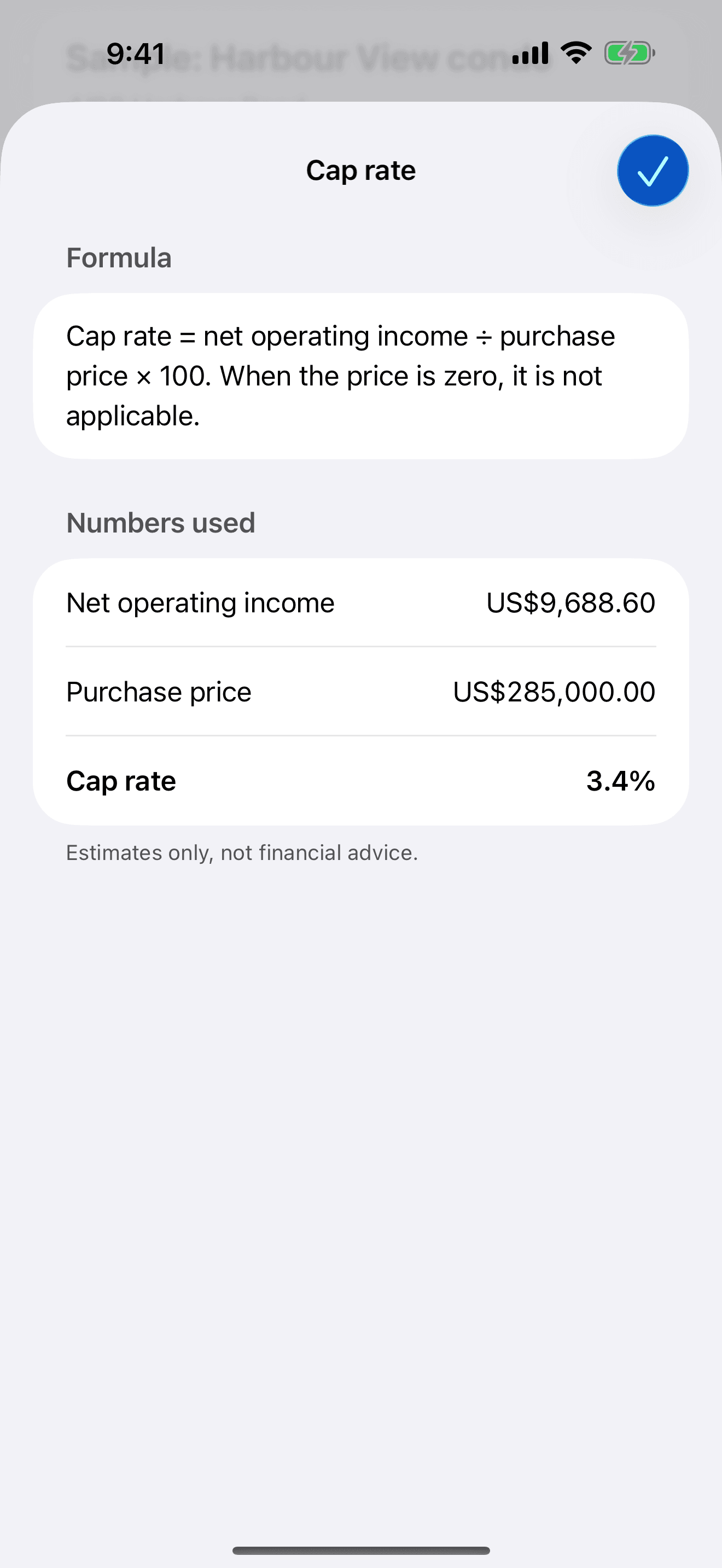
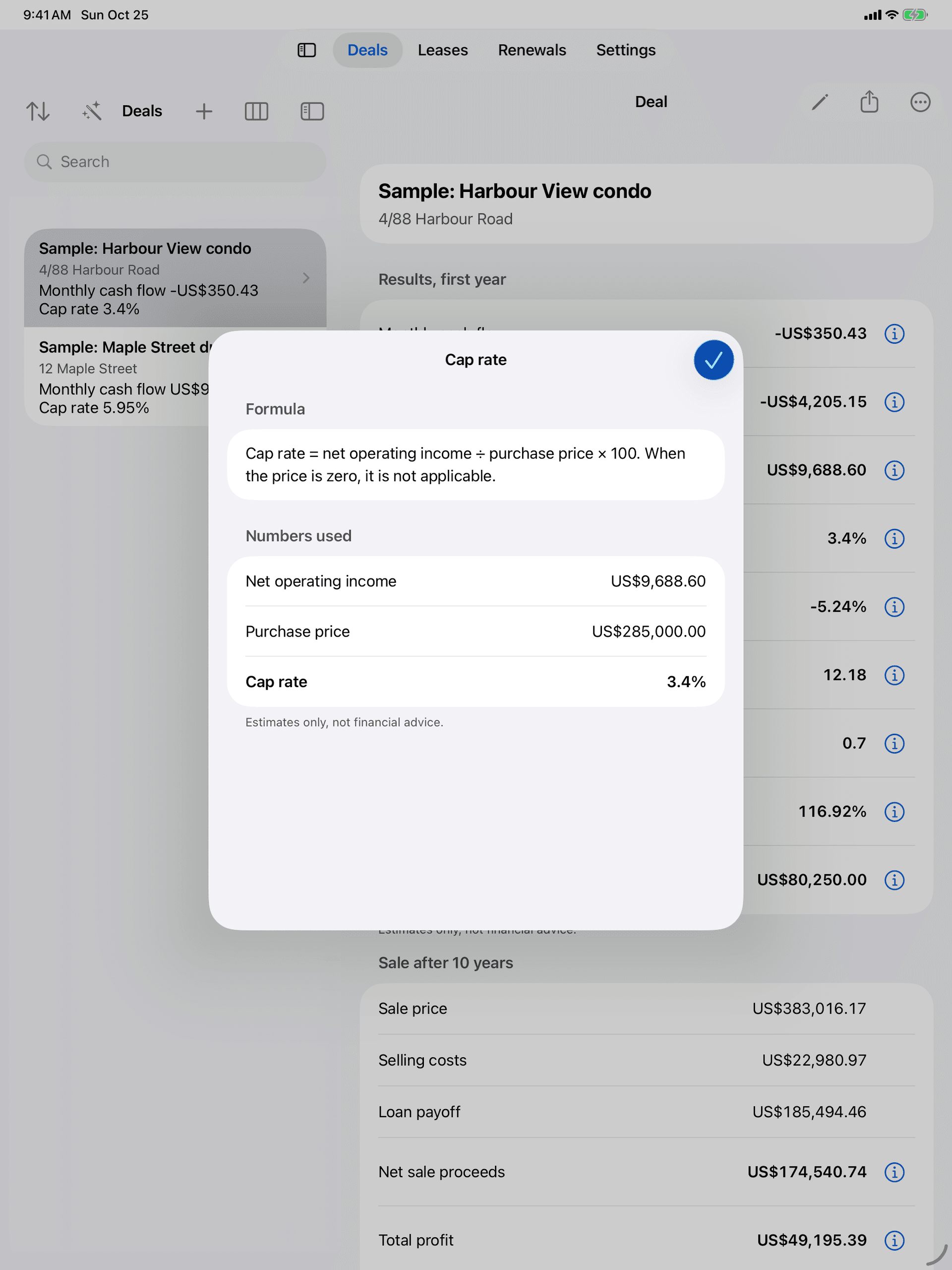
Every result shows its formula.
Tap the info button beside any result to see the formula and the exact numbers it used.
The long view
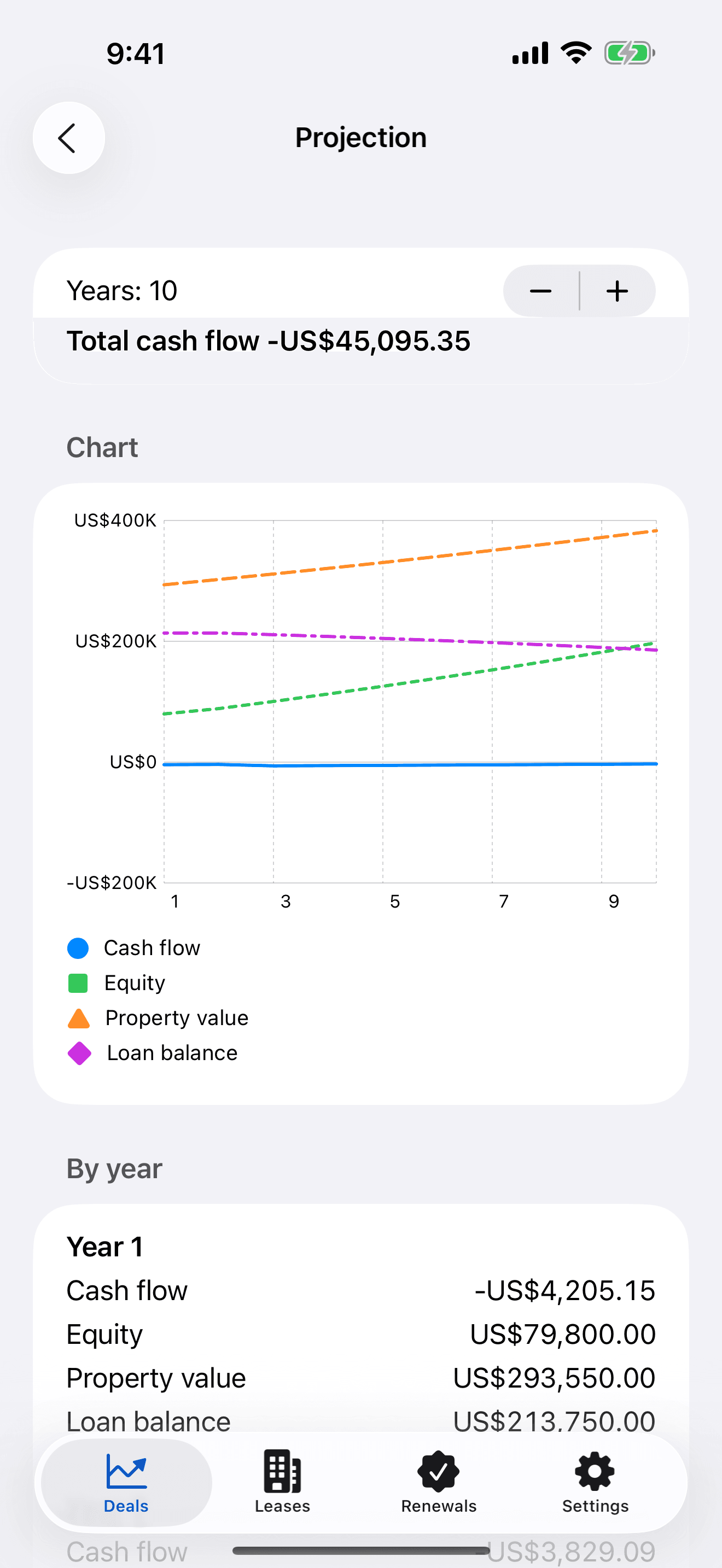
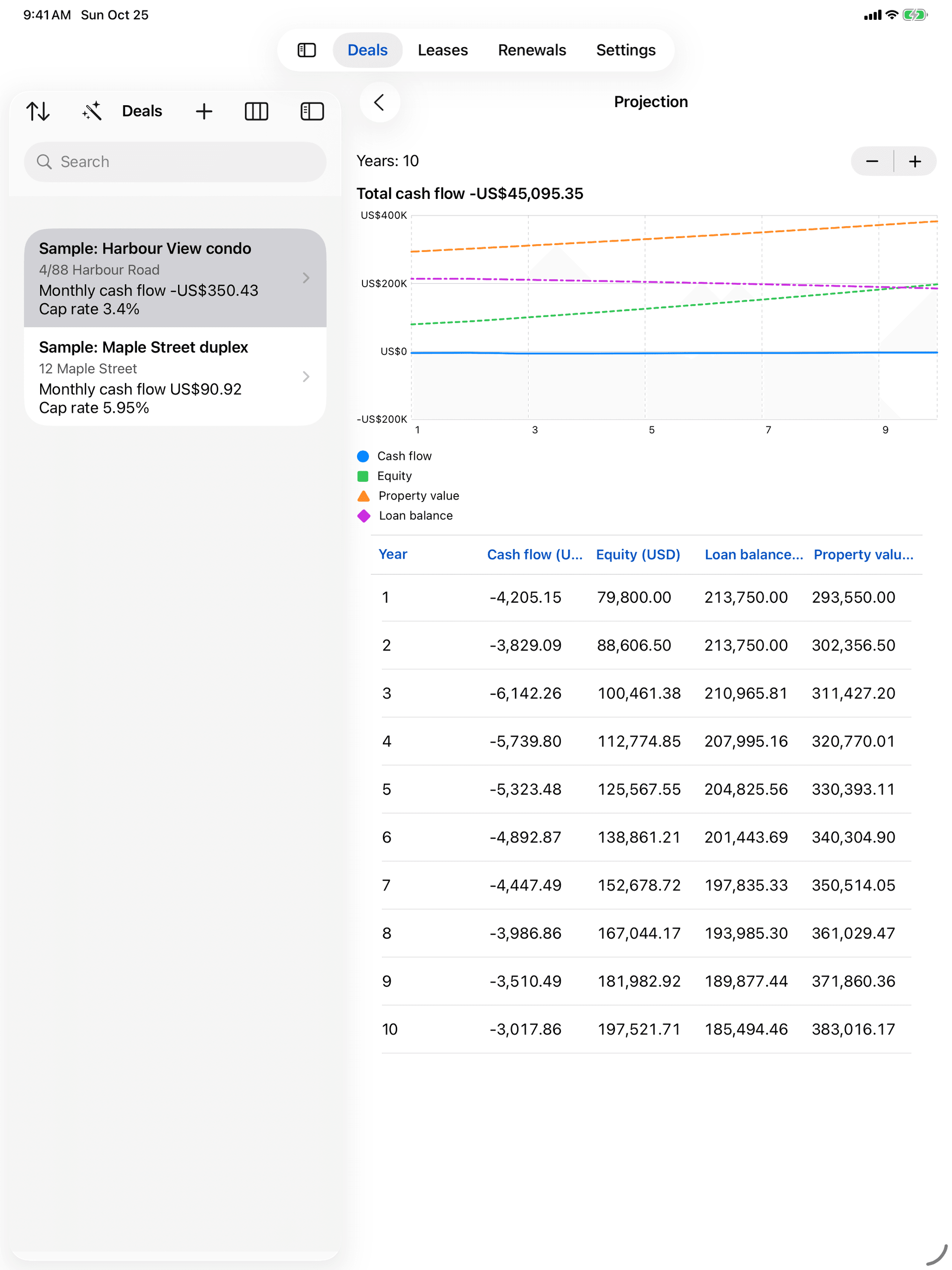
Up to 30 years, as a table and a chart.
Project rent and expense growth and appreciation, follow the loan schedule with an optional interest-only period, and see a sale analysis at the end of your holding period.
Scenarios
Compare deals and scenarios side by side.
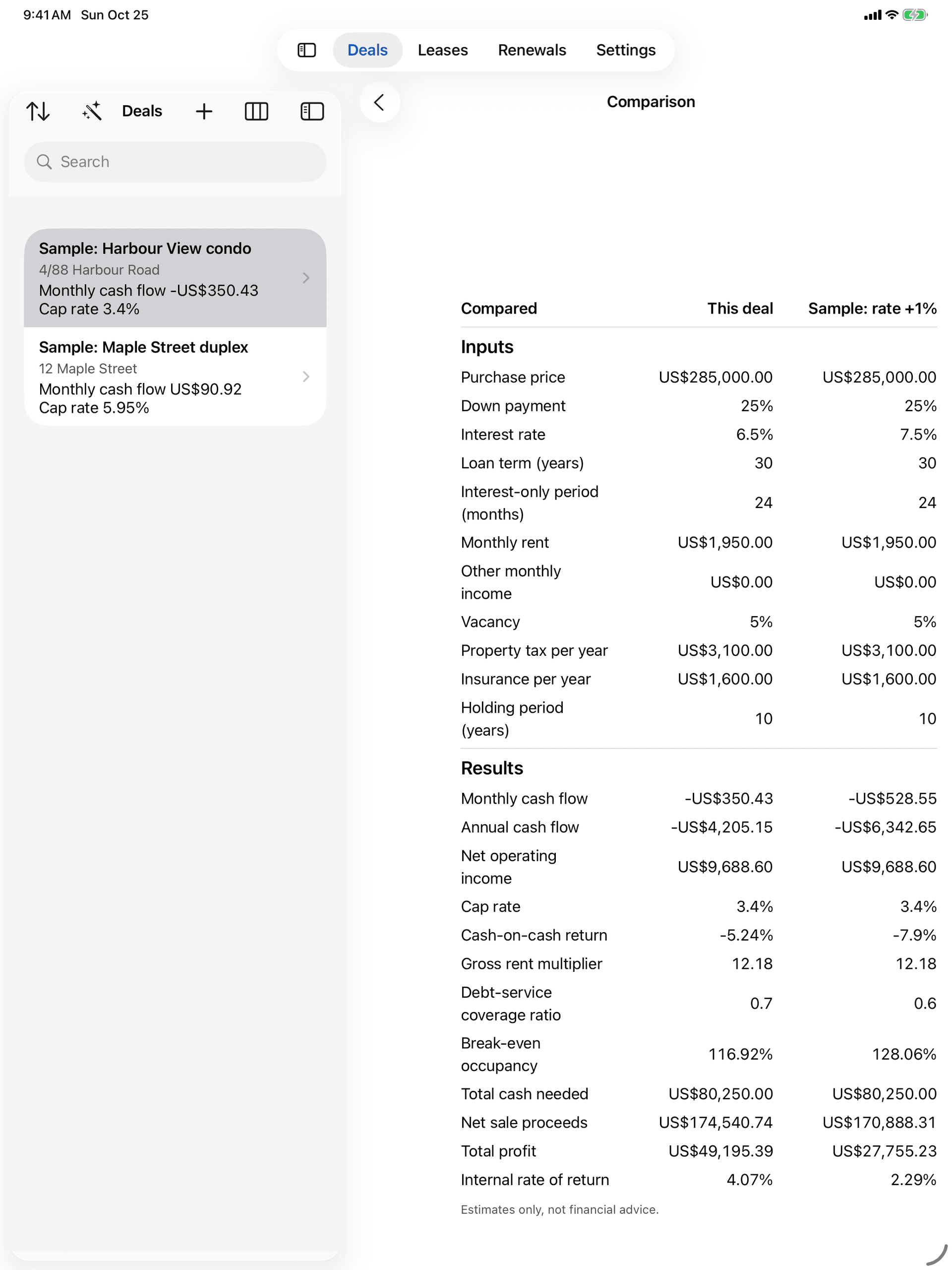
Try a higher rate or a lower price as a scenario of the same deal, put up to four next to each other, and share a one-page PDF summary.
Worked example · Sample: Harbour View condo
The same numbers the app shows for its sample deal. Results are estimates only, not financial advice.
Leases
Never find out a lease ended from the tenant.
Import leases from CSV with column mapping and a preview, or enter them by hand. Then let the timeline tell you what's next.
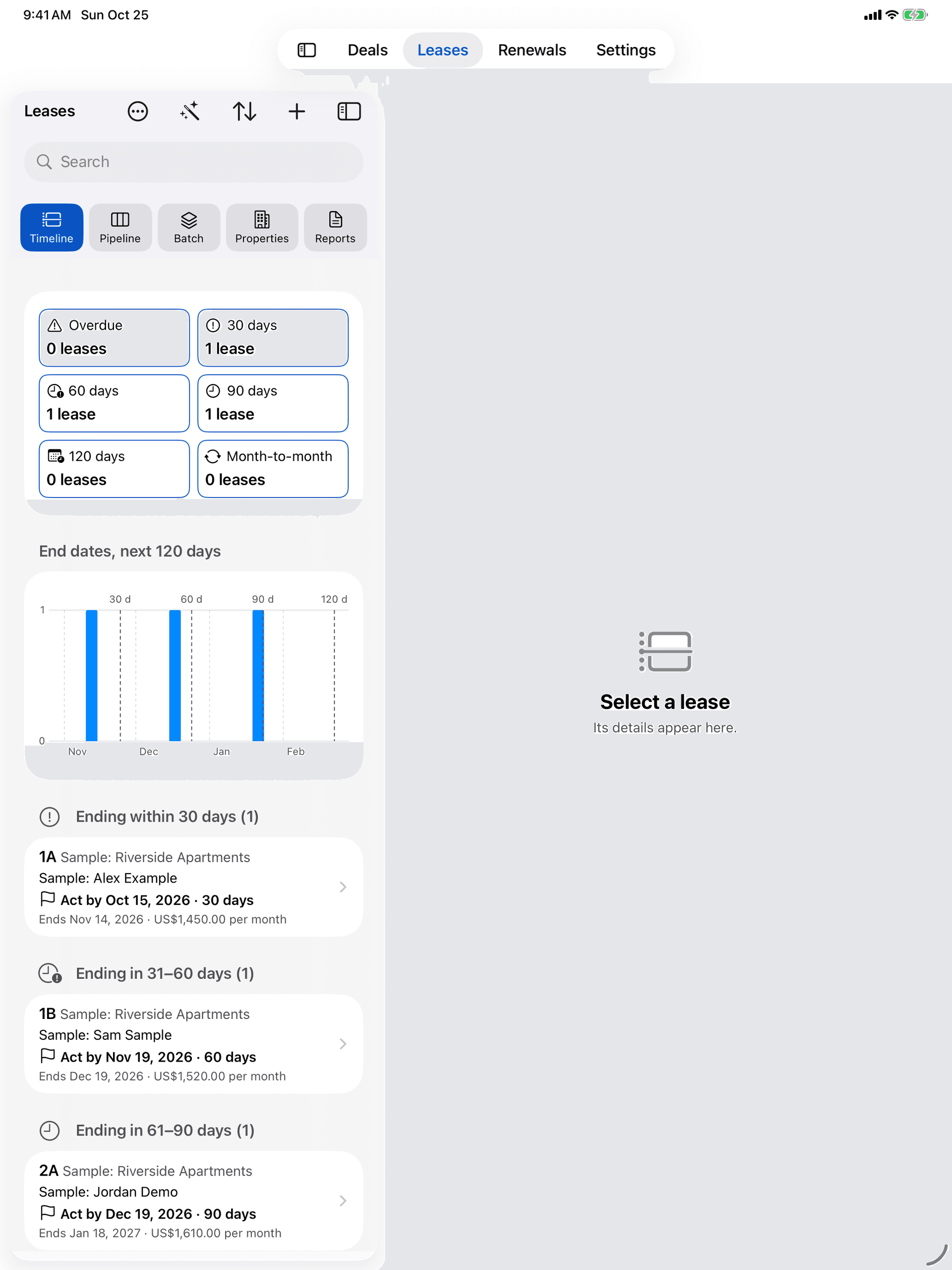
Timeline
See which leases end, and when to act.
Lease end dates grouped into the next 30, 60, 90 and 120 days, overdue and month-to-month, sorted by the act-by date that each lease’s notice period gives.
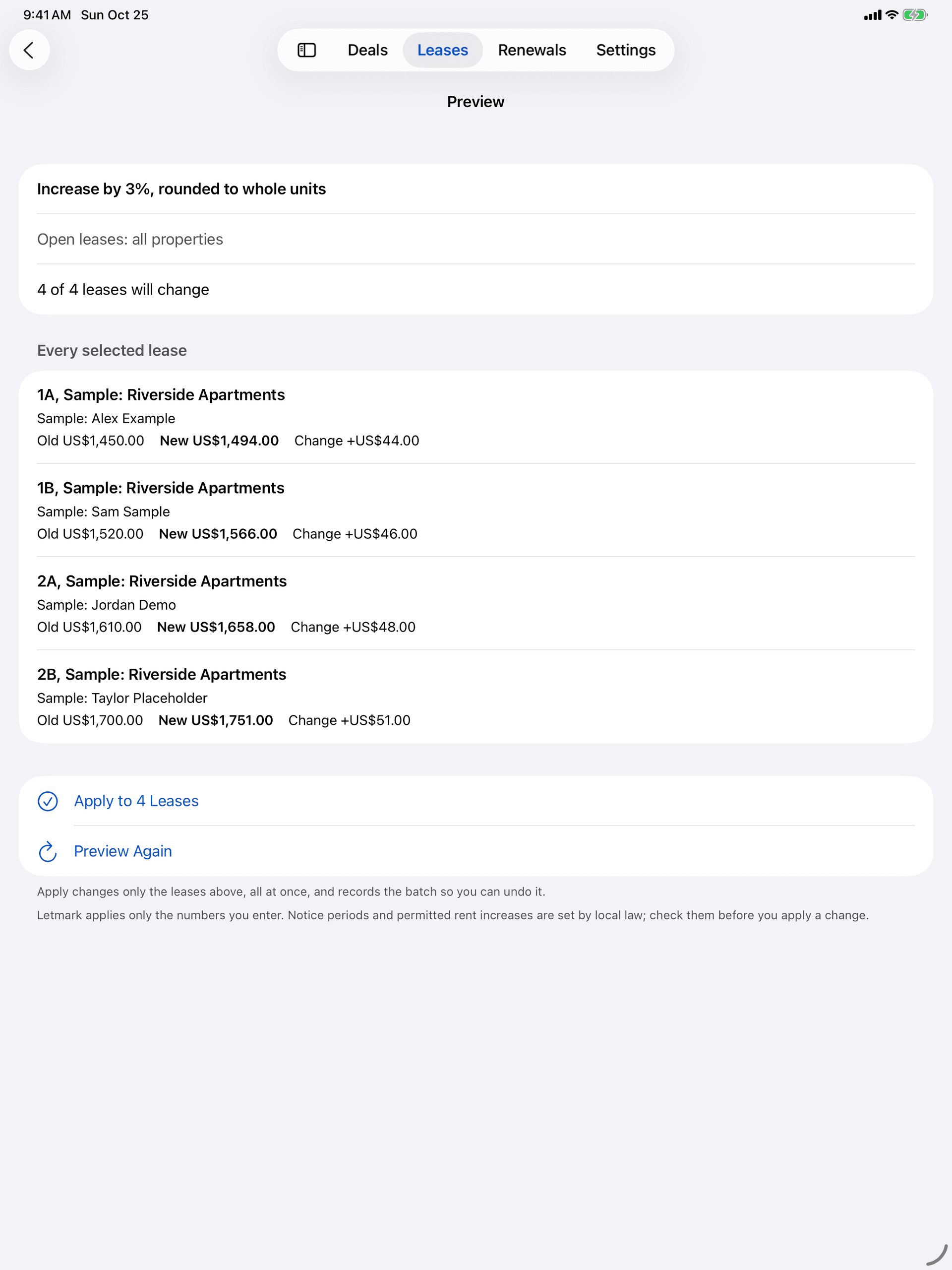
Batch rent changes
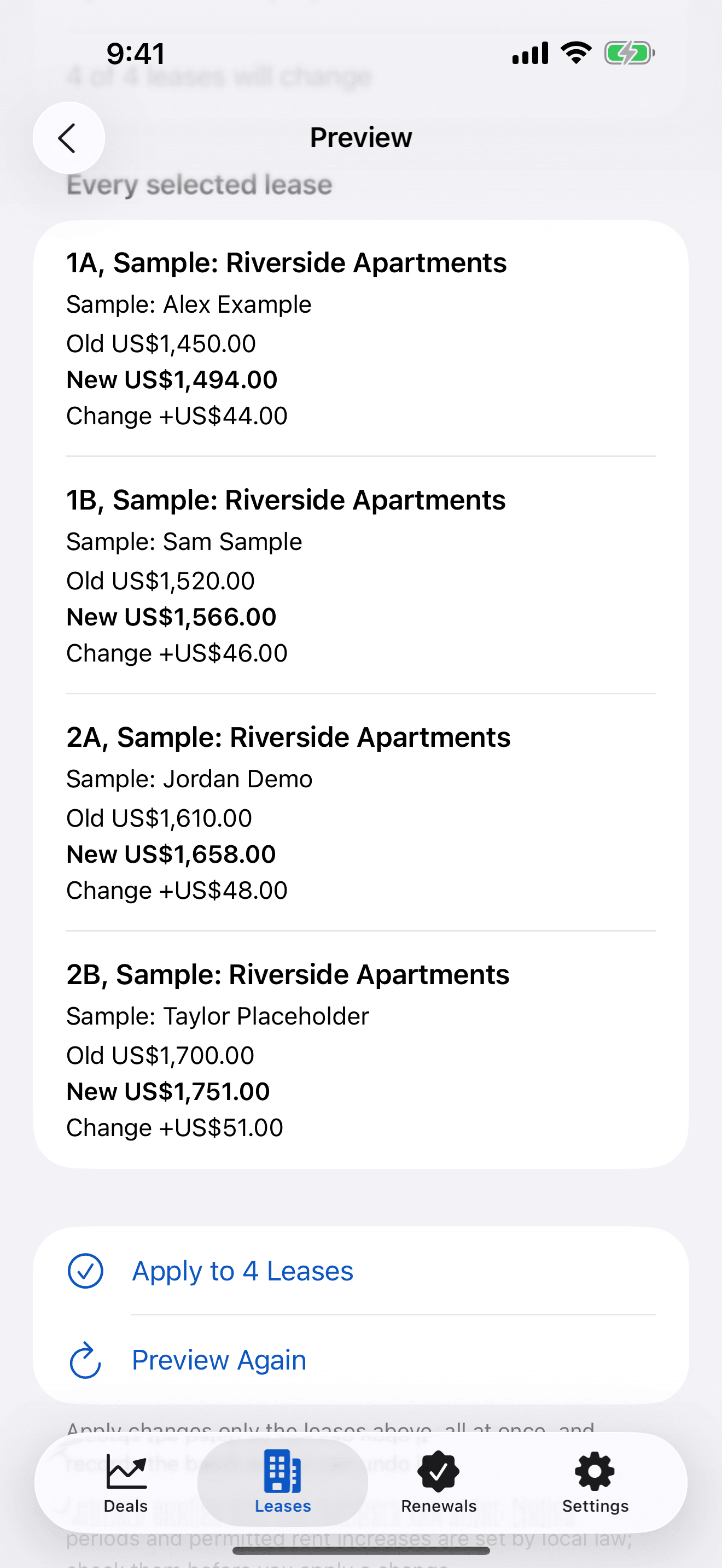
Preview every rent change before you apply it.
Change many rents at once by percent, by amount or to market rent, with the rounding you choose. Check old rent, new rent and change for each lease, apply, and undo in one step if you need to.
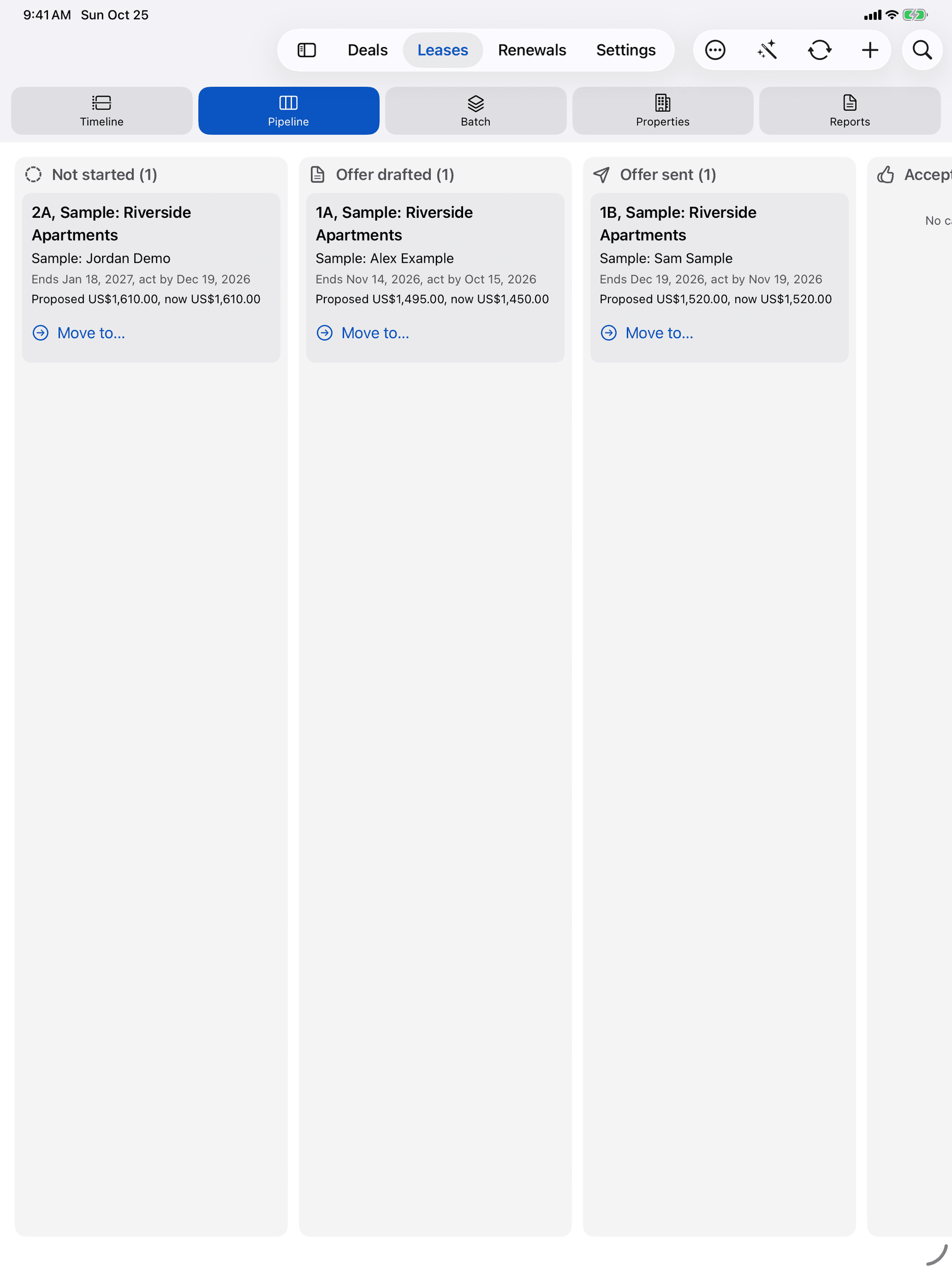
Pipeline
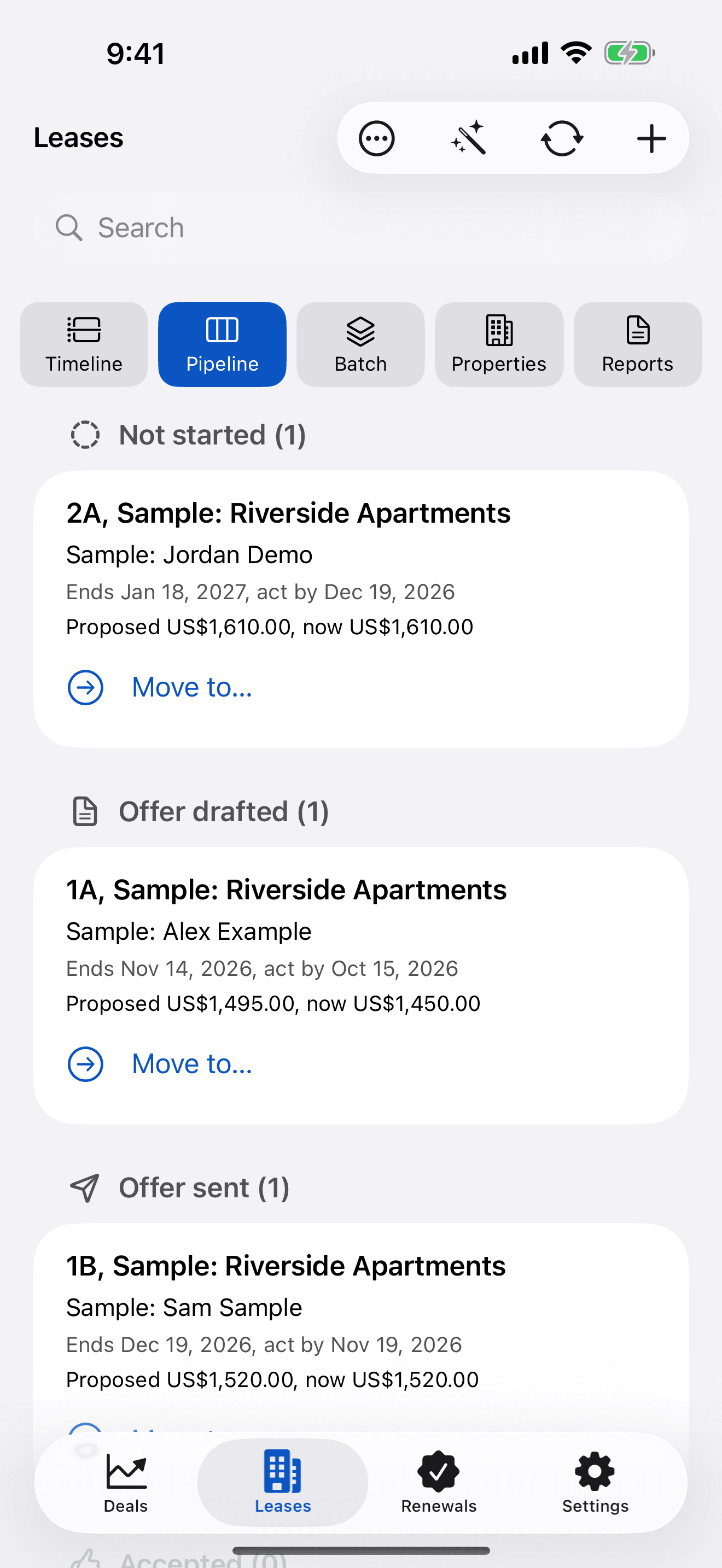
Follow each renewal from offer to signed.
Letters for each lease from your own templates, plus one combined PDF for printing. Move cases from offer drafted to signed or moving out; signing creates the next lease.
Sample: Riverside Apartments
End dates and act-by dates, at a glance
- Lease runs
- Act-by date (30-day notice)
- Unit 1AEnds in 20 daysAct by 10 days ago
- Unit 1BEnds in 55 daysAct by in 25 days
- Unit 2AEnds in 85 daysAct by in 55 days
- Unit 2BEnds in 200 daysAct by in 170 days
The app’s sample property: four units with rents from US$1,450 to US$1,700 a month. Letmark applies only the notice periods and rent changes you enter; it contains no legal rules, and its letter templates are generic drafts for you to review.
Renewals
Licences, permits and policies, never quietly lapsing.
Due dates, documents and reminders for everything your business has to hold, file or renew.
One list
Every licence, permit and policy in one place.
Record each obligation once, with its issuer, reference, cost and renewal cycle. Group them by timeline, by business or by kind, with the next reminder on every row.
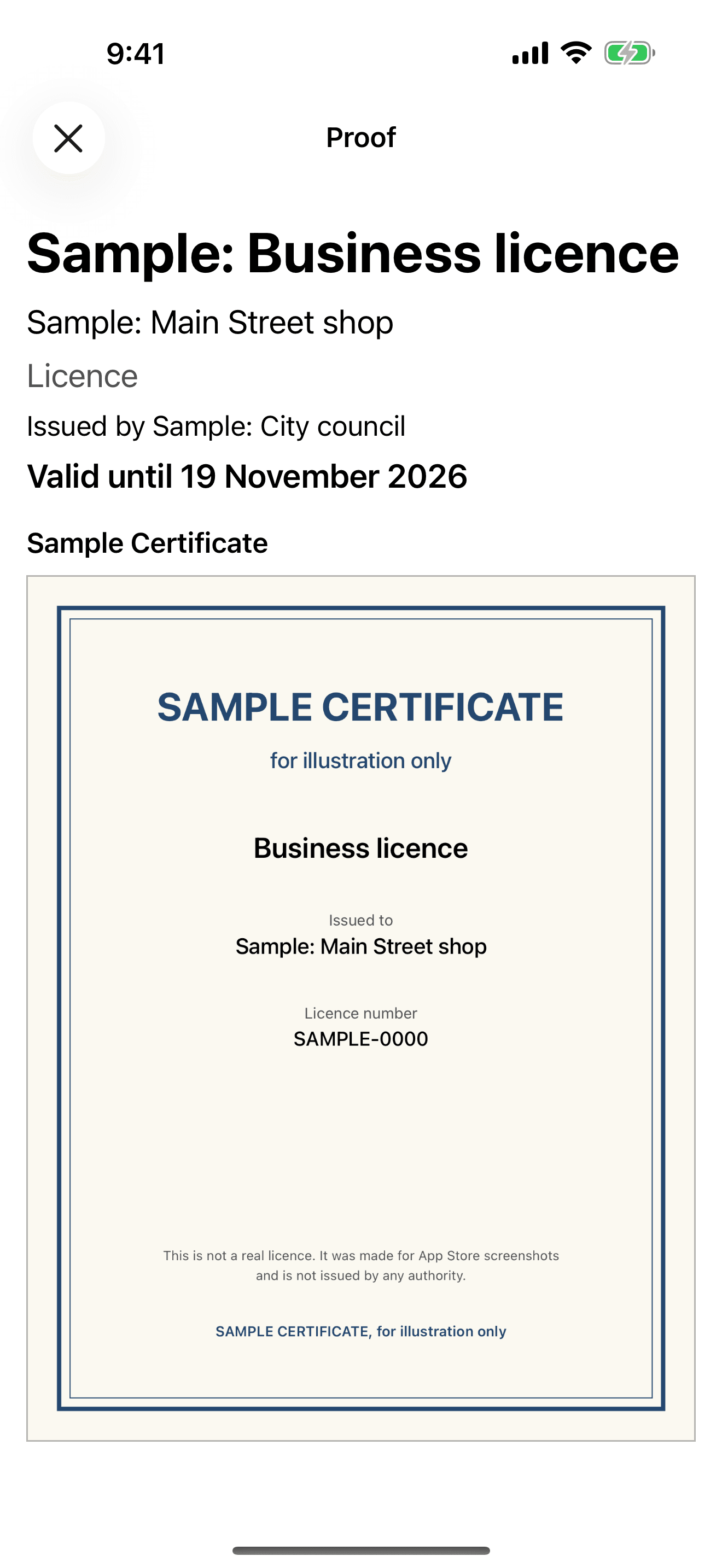
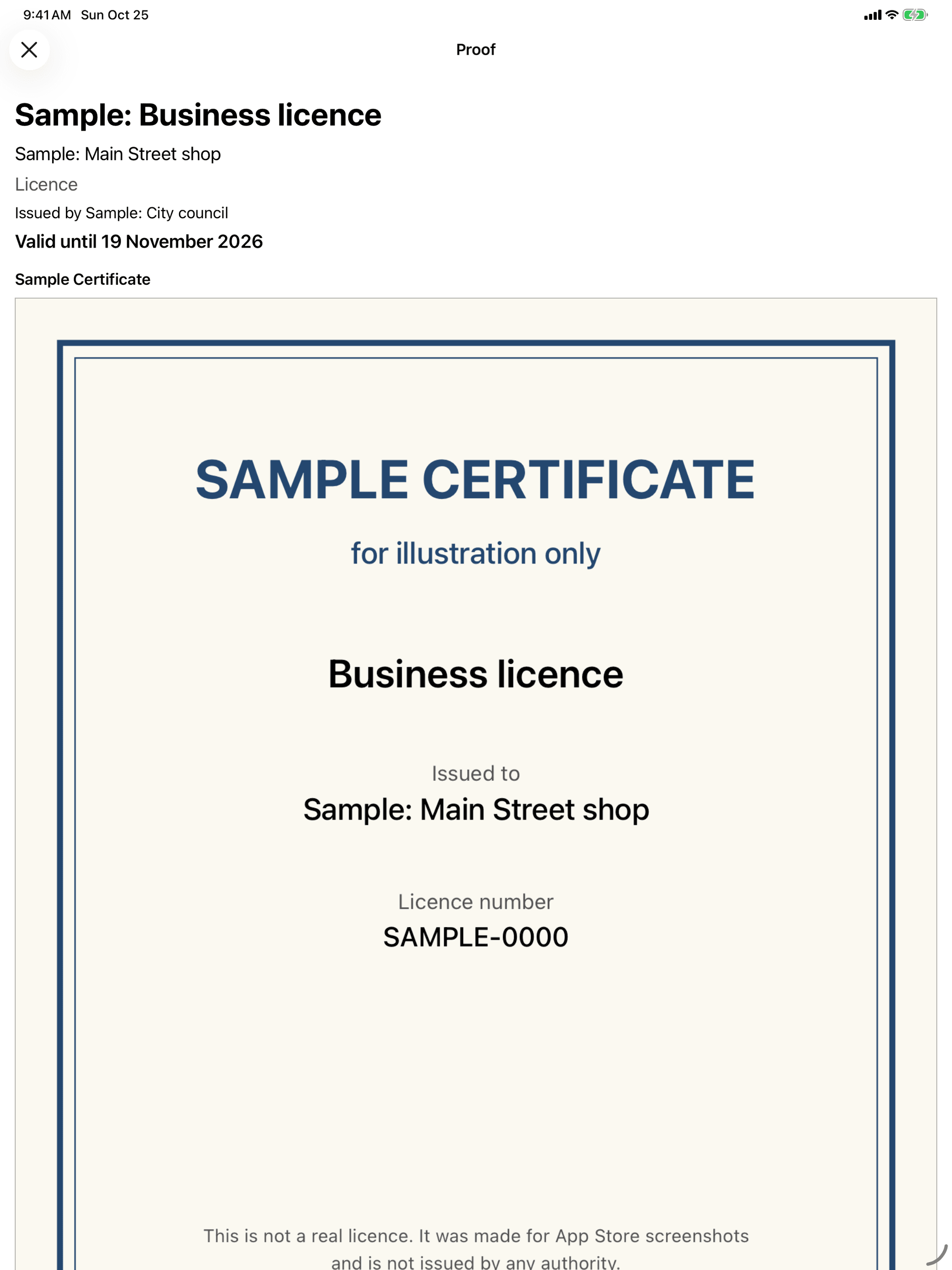
Show Proof
The current certificate in seconds.
Attach the document that proves it by scan, photo or file, and keep older versions in its history. When an inspector asks, search and tap Show Proof: it opens full screen, even if your subscription has ended.
Reminders on the days you choose
Escalating before the due date, and repeating after it until you renew or retire the obligation.
- 90 d
- 60 d
- 30 d
- 14 d
- 7 d
- 1 d
- Due
Default reminders: 90, 60, 30, 14, 7, 1 days before the due date, on the due date and the day after, then every 7 days.
Your days, per obligation.The defaults are 90, 60, 30, 14, 7, 1 days before. Change them per obligation.
Nothing sent without you.Send Reminder opens Mail or Messages with a pre-written note to the person responsible; you review it and tap Send.
Discreet on the lock screen.Notifications show only the obligation’s title. Reference numbers and documents never appear.
Letmark tracks the deadlines you enter. It contains no regulatory requirements.
iPhone, iPad and Mac
Made for each screen you work on.
A tab bar on iPhone, a sidebar and split layout on iPad, and a native Mac app with menus and keyboard shortcuts. One purchase covers them all.
Private by design
Your records stay on your devices.
Letmark’s App Store privacy label is “Data Not Collected”. The only network traffic comes from Apple’s own services, for your subscription.
- No accountNo sign-in, password or token. Open the app and start.
- No serverRecords are stored on your own device. The developer cannot see them.
- No trackingNo ads, no analytics, no crash reporters, no advertising identifier.
- Nothing sent without youLetters, messages and files open in a system sheet, and you send them.
- App LockOptional Face ID, Touch ID or passcode each time Letmark opens.
- Yours to take or eraseExport everything as one ZIP file, or erase everything, at any time.
One subscription
Letmark Pro unlocks all three modules.
If your subscription ends, you keep read-only access to everything you created, including Show Proof, and you can still export or erase it.
Billing period
US$15.00 a month, billed yearly: US$59.89 less than 12 months of the monthly plan.
- Deals, Leases and Renewals
- On all your devices with the same Apple Account
- Export and erase at any time
- If it ends, read-only access to everything you made
Coming soon to theApp Store
14-day free trial for eligible new subscribers. Prices in other countries are set by the App Store. Payment is charged to your Apple Account, and the subscription renews until you cancel it, at least 24 hours before the end of the current period.
Plainly
What it does, and does not do.
Letmark is a tool for your own records. Get advice from a qualified professional before relying on any figure, letter or date for a decision.
- Deals
Results are estimates only, not financial advice. Every formula is shown in the app, with the numbers it used.
- Leases
Applies only the notice periods and rent changes you enter. Its letter templates are generic drafts for you to review.
- Renewals
Tracks the deadlines you enter. It includes no regulatory requirements, and reminders are the ones you set.
Your deals, leases and renewals. Finally in one place.
Start the free trial, load the sample data in each module, and try every feature before you enter a record of your own.
Coming soon to theApp Store
Questions? Read support